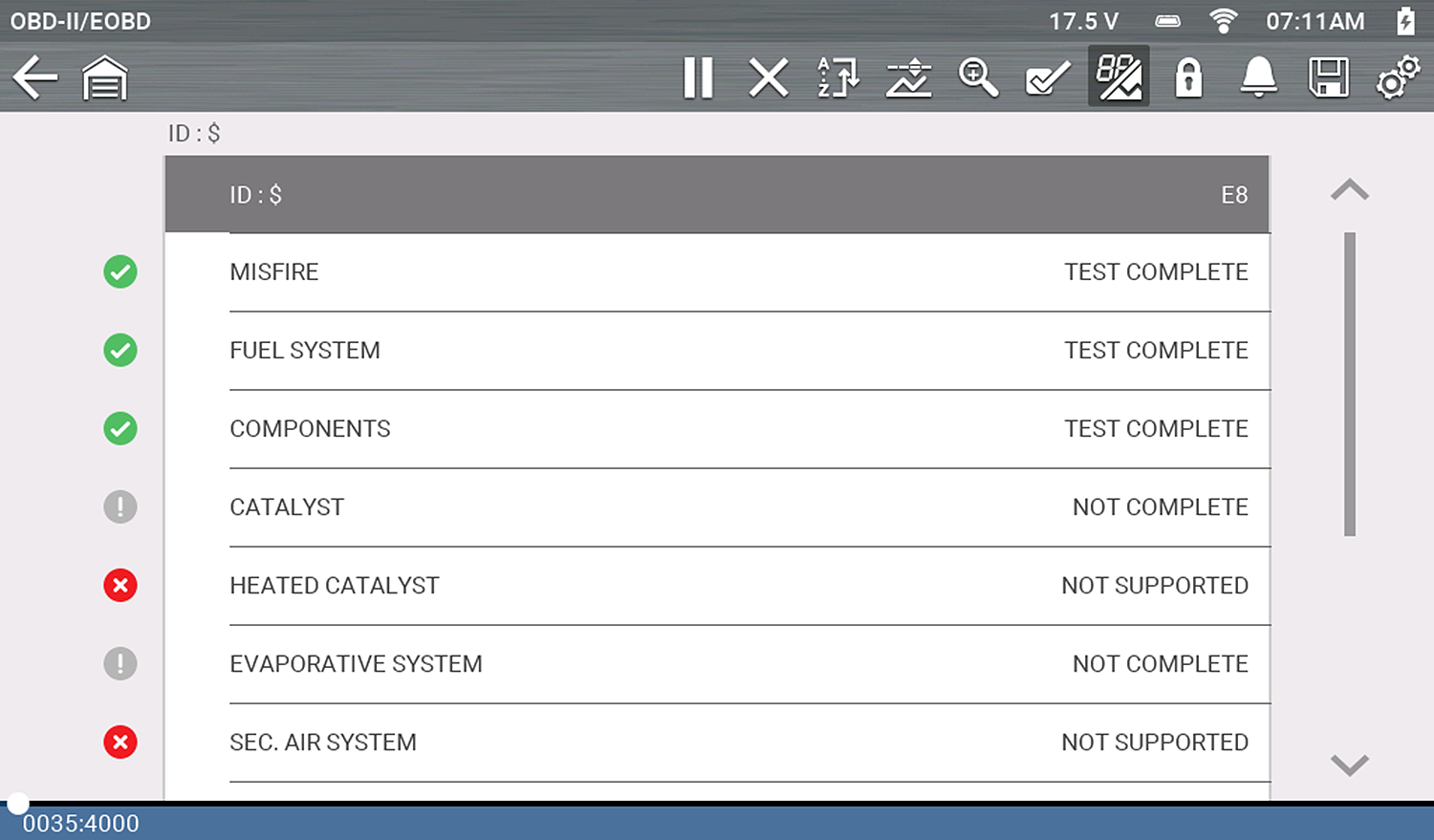
This test checks the status of the readiness monitoring system. An OBD-II /EOBD control system runs continuous and periodic tests to check the status of emission-related subsystems to gauge the integrity of the electronic operations. Two options are available for Readiness Monitors:
| ● | Monitors Complete Since DTC Cleared—displays the status of all monitors that have run since the last time ECM memory was erased. |
| ● | Monitors Complete This Cycle—displays the status of the monitors that ran during the current drive cycle only. |
Selection of either option displays test results as shown in the data viewer.
Typical Screen from ZEUS Diagnostic Tool Family Shown
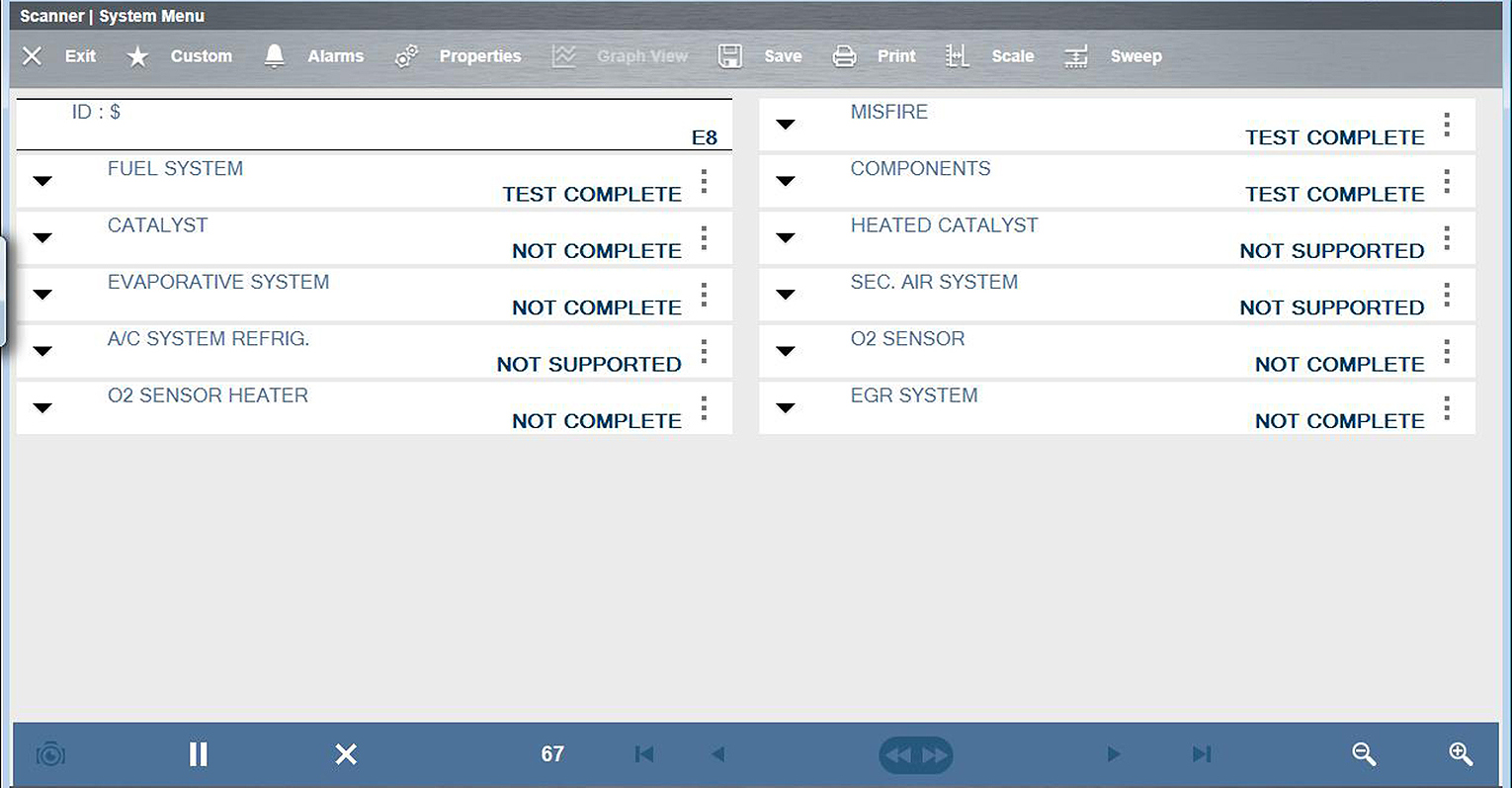
Use the scroll bar to view the entire list of Readiness Monitors.
Selecting Save from the toolbar saves the monitor data as an .SCM file for review at a later time. See View Saved Data for additional information.
Use this to check the readiness of the monitoring system. Monitors not supported will display “not supported”. Scroll, if needed, to view the entire list of monitors (Readiness monitor test report). Selecting Readiness Monitors opens a submenu with two choices:
| ● | Monitors Complete Since DTC Cleared—displays the results of all monitor tests that have run since the last time the vehicle electronic control module (ECM) memory was cleared. |
| ● | Monitors Complete This Cycle—displays only the results of monitor tests that ran during the current drive cycle, they reset when the ignition is switched off. |
The following is applicable to diagnostic tools other than ZEUS and VERUS families.
Quick reference indicators are used to show monitor status on the left side of the screen:
| ● | Green icon “a” mark - Monitor test is complete |
| ● | Gray icon “—” mark - Monitor test is not complete |
| ● | Red icon “X” mark - Monitor test is not supported by vehicle |