Home Screen: OBD-II/EOBD > OBD Health Check
OBD-II Health Check offers a way to quickly check / clear emissions-related diagnostic trouble codes (DTCs), and to check readiness monitors for emissions testing.
See submenu test options in the following sections.
OBD Health Check menu
 Global OBD II Code Check
Home Screen: OBD-II/EOBD > OBD Health Check > Global OBD-II Code Check
Global OBDII Code Check displays stored emission related generic DTCs reported by the ECM. Selecting opens a submenu with two choices: Codes and Pending Codes. Either option opens a code list.
The DTC results screen is similar to the same screen used in the Scanner function, as both display the SureTrack results message below the toolbar. However, SureTrack is not accessible in OBD-II/EOBD mode. SureTrack is only accessible in the Scanner function where the vehicle has been identified.
SureTrack is not accessible in OBD-II/EOBD mode.
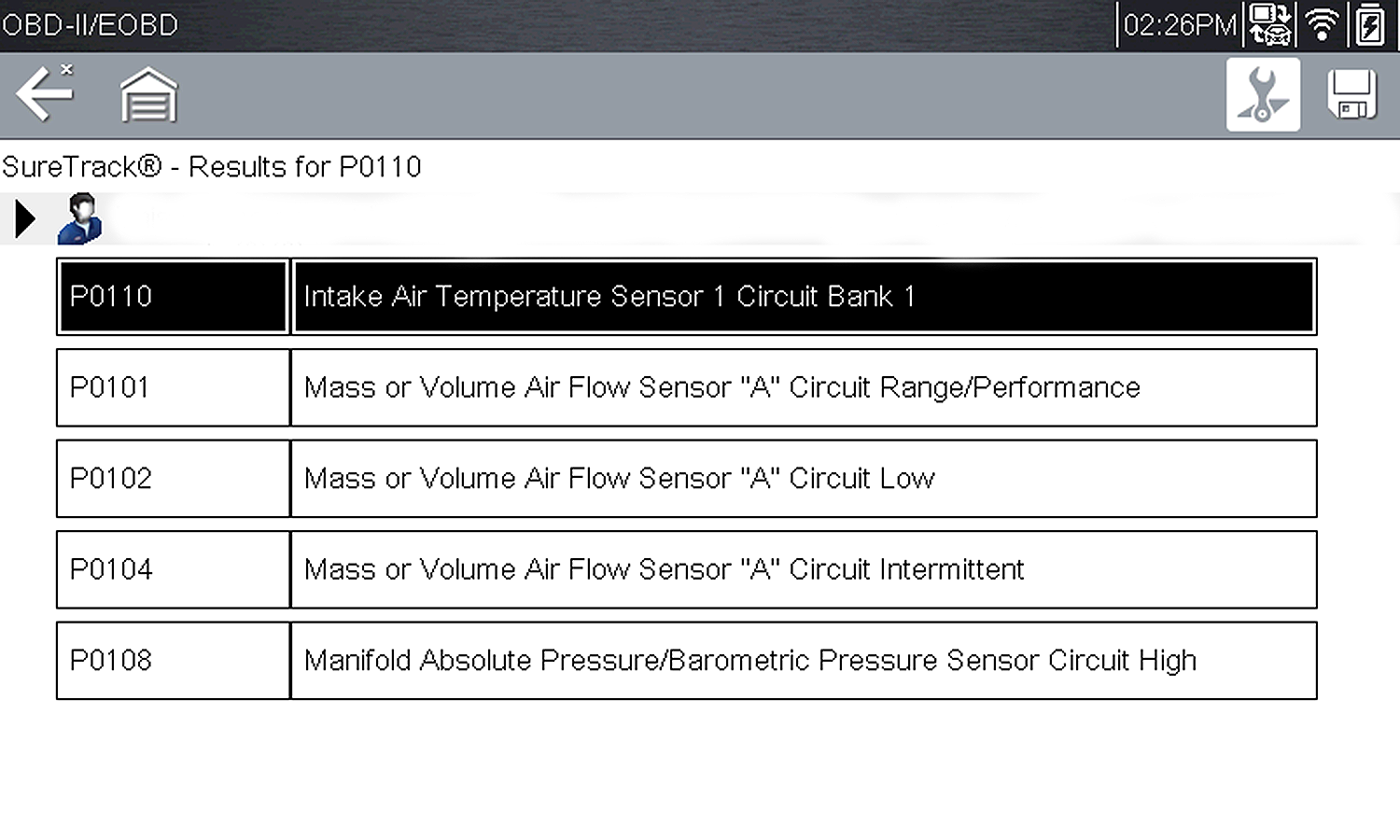
DTC Results Screen
Codes
The Codes option displays a list of current emission related DTCs.
OBD-II/EOBD Codes have a priority according to their emission severity. The priority of the code determines the illumination of the MIL and the code erase procedure. Vehicle manufacturers have implemented the ranking differently, so there are differences between makes.
Pending Codes
The purpose of this service is to enable the diagnostic tool to obtain “pending” or maturing diagnostic trouble codes. These are codes whose setting conditions were met during the last drive cycle, but need to be met on two or more consecutive drive cycles before the DTC actually sets.
Save valuable time by using this service to verify test results after a single drive cycle following a vehicle repair and code clearing procedure.
| ● | If a test failed during the drive cycle, the DTC associated with that test is reported. If the pending fault does not occur again within 40 to 80 warm-up cycles, the fault is automatically cleared from memory. |
| ● | Test results reported by this service do not necessarily indicate a faulty component or system. If test results indicate another failure after additional driving, then a DTC is set to indicate a faulty component or system, and the MIL is illuminated. |
Refer to the Global OBD Vehicle Communication Software Manual for additional information.
Global OBD II Clear Codes
Home Screen: OBD-II/EOBD > OBD Health Check > Global OBD-II Clear Codes
This option is used to clear all emission related diagnostic data, such as DTCs, freeze frame data, and test results, from the memory of the selected ECM. Although OBD-II/EOBD displays generic OBD-II/EOBD data only, clearing codes erases all of the stored data, including any enhanced codes and freeze frame information.
A confirmation screen displays when the clear codes option is selected to prevent accidental loss of data. Select to continue from the confirmation screen. Refer to the Global OBD Vehicle Communication Software Manual for additional information.
Readiness Monitors
Home Screen: OBD-II/EOBD > OBD Health Check > Readiness Monitors
This test checks the status of the readiness monitoring system. An OBD-II /EOBD control system runs continuous and periodic tests to check the status of emission-related subsystems to gauge the integrity of the electronic operations. Two options are available for Readiness Monitors:
| ● | Monitors Complete Since DTC Cleared—displays the status of all monitors that have run since the last time ECM memory was erased. |
| ● | Monitors Complete This Cycle—displays the status of the monitors that ran during the current drive cycle only. |
Selection of either option displays test results as shown in the data viewer.
Quick reference indicators are used to show monitor status on the left side of the screen:
| ● | Green icon “a” mark - Monitor test is complete |
| ● | Gray icon “—” mark - Monitor test is not complete |
| ● | Red icon “X” mark - Monitor test is not supported by vehicle |
Use the scroll bar to view the entire list of Readiness Monitors.
Selecting Save from the toolbar saves the monitor data as an .SCM file for review at a later time (Home Screen > Previous Vehicles and Data > Viewing Saved Data)
MIL Status
Home Screen: OBD-II/EOBD > OBD Health Check > MIL Status
This test checks the ECM commanded state (on or off) if the malfunction indicator lamp.