
Updating Your FCA Stellantis® Password
Read this Before you Start
These instructions allow you to update your Security Link credentials when:
| – | Your password has expired after 60 days |
| – | Your account has migrated to a new "userID" |
These instructions ONLY apply to you IF:
| – | You have an FCA ‘W’ account number (e.g. Wxxxxx) |
and
| – | You have a valid e-mail address linked to your FCA account |
Instructions
| 1. | Go to technicalinformation.fiat.com |
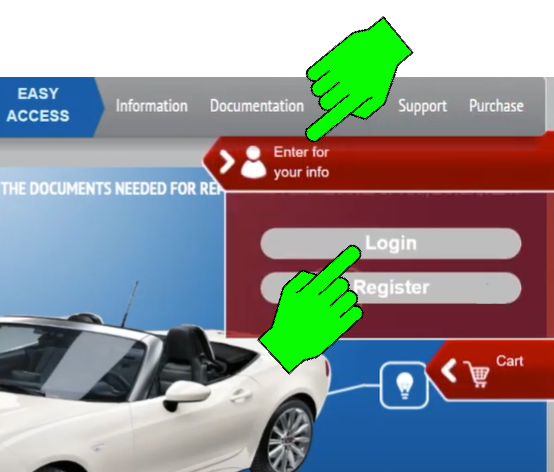
| 2. | Click the profile icon (Enter for your info), then click Login. |
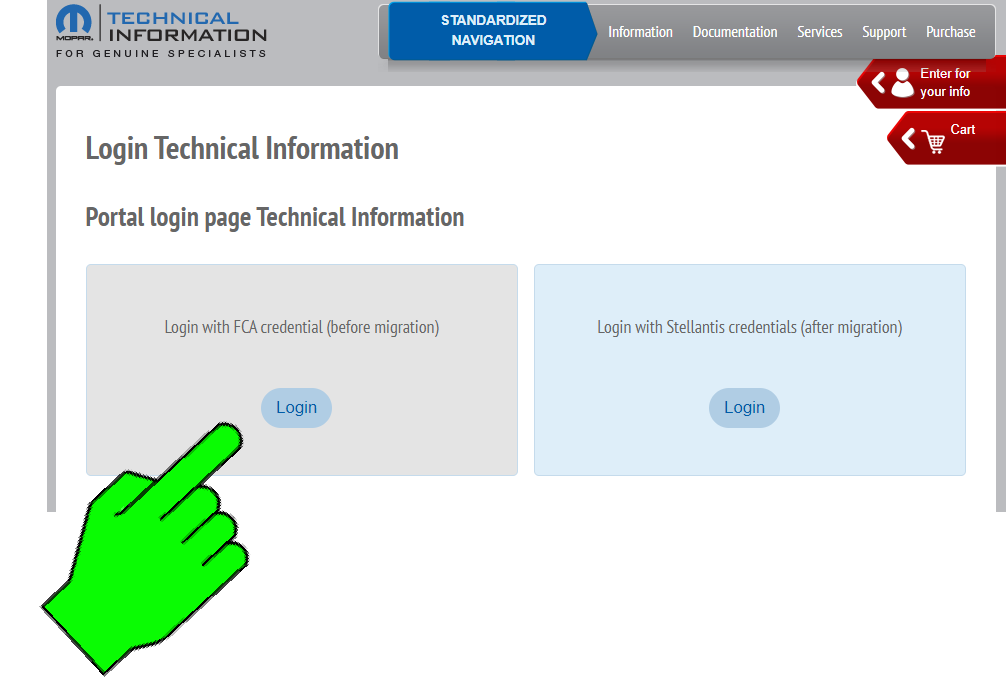
| 3. | Click Login with FCA credential (before migration). |
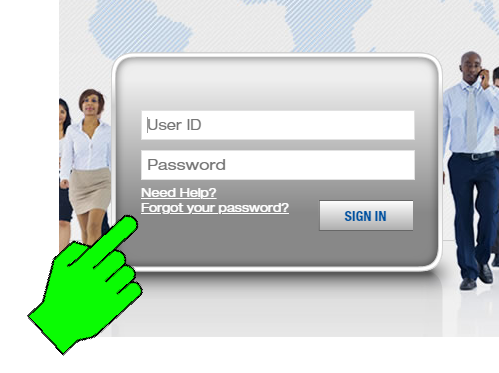
| 4. | Click Forgot your password?. |
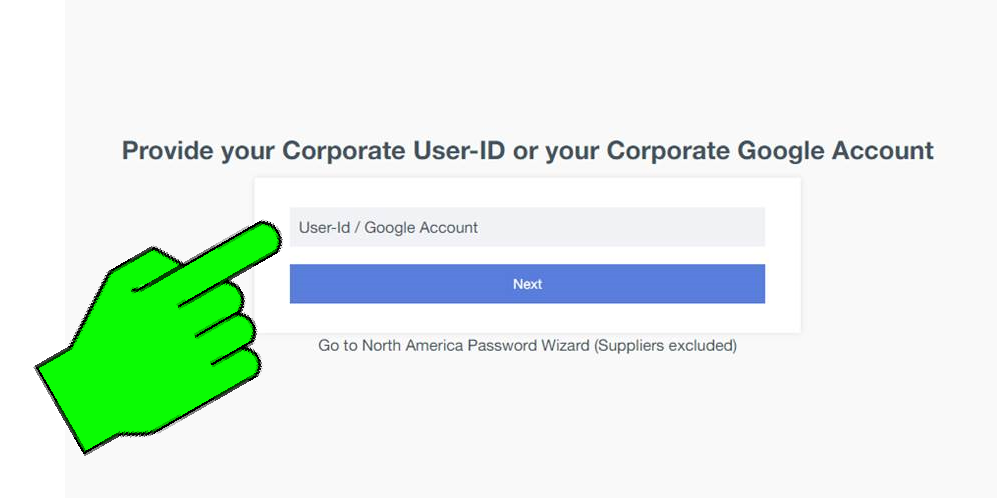
| 5. | Enter your old FCA "W" account number, then click Next. |
| 6. | Click on the Reset button on the right-hand side (Reset Forgotten Password). |
An email will be sent to the address associated with the Stellantis account.
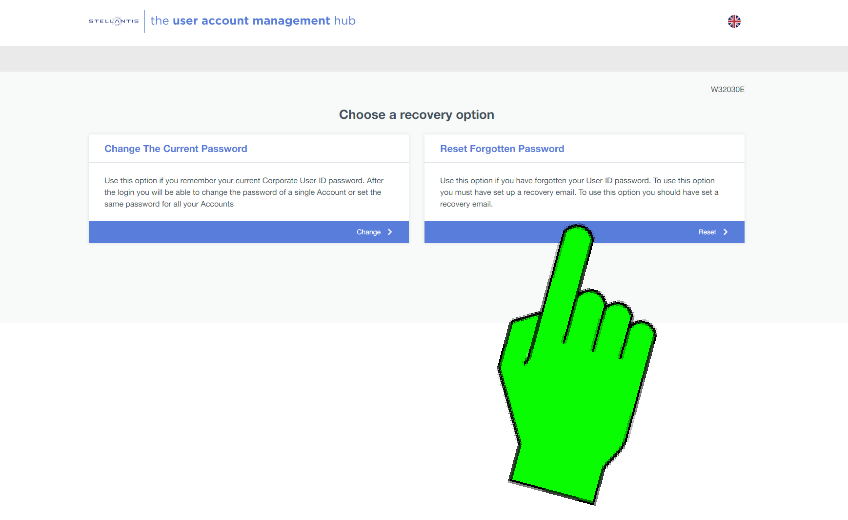
| 7. | Go to the email and click the link and follow the instructions to reset your password. |
| 8. | Login to your Snap-on Technician Profile at https://profilemanager.mitchell1.com/ |
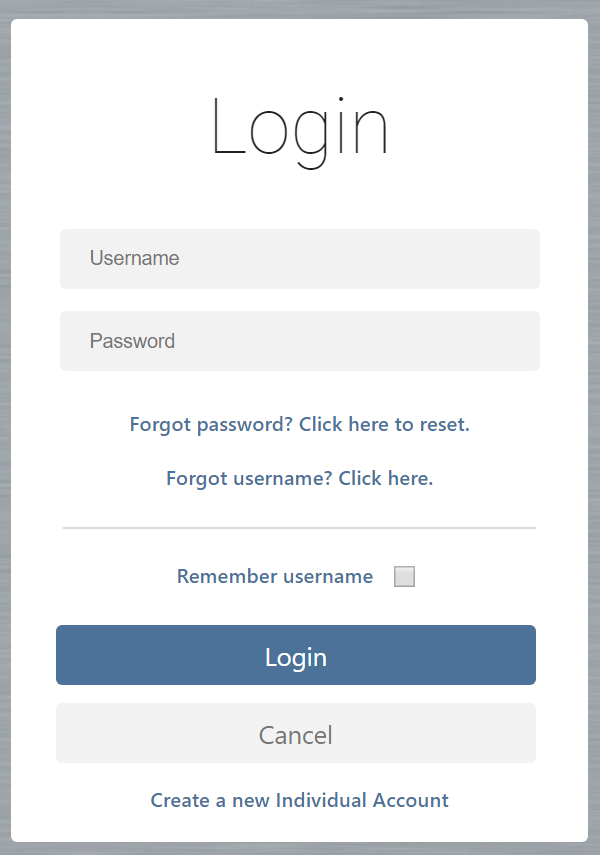
| 9. | Click the Security Link tab, then click FCA International. |
Enter your new FCA International Password into the Password field.
Even if you have a new ‘userID’, leave your old FCA "W" account name in the Username field.
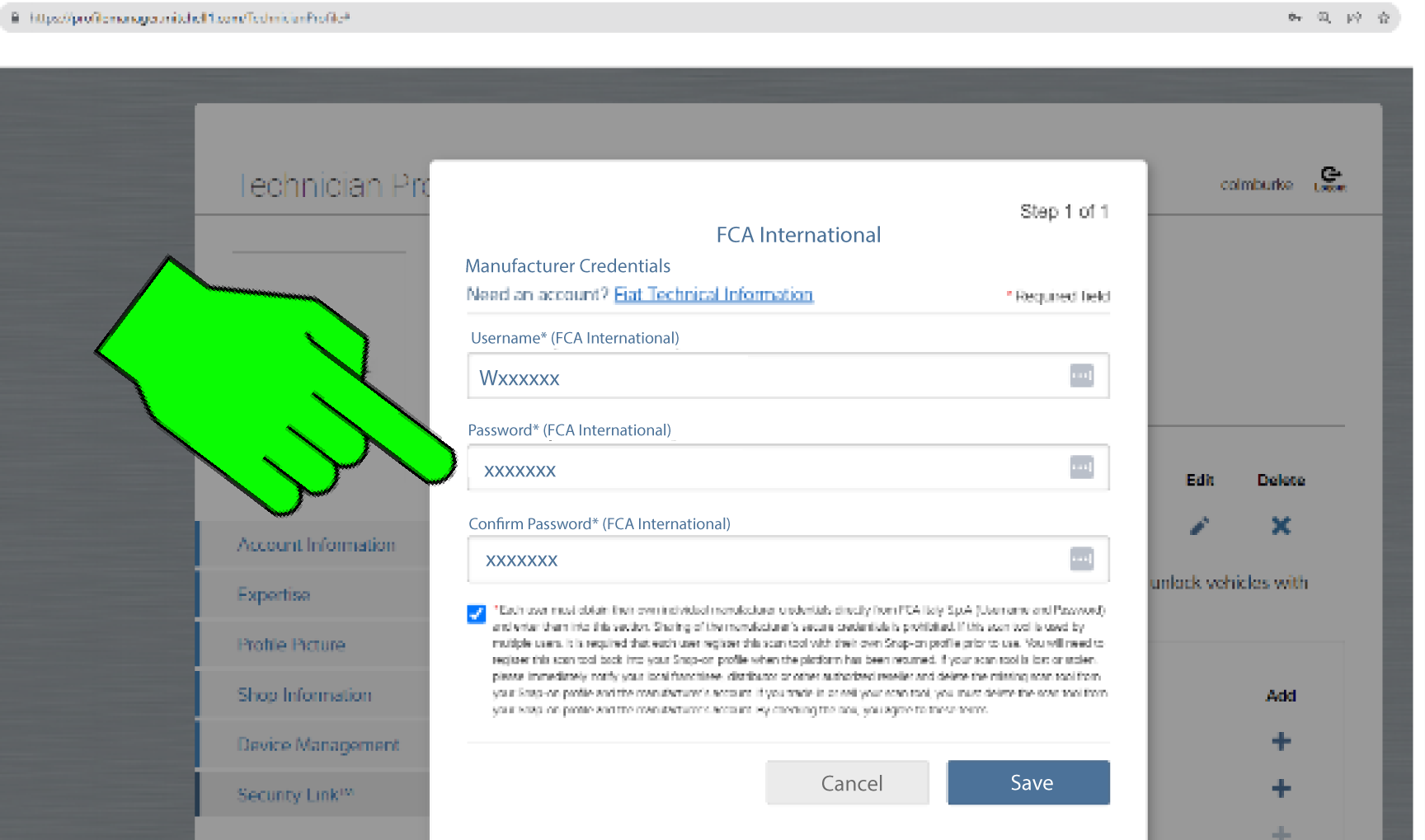
| 10. | Click Save to update your credentials. |
Once the credentials have been accepted, you will be able to perform an FCA International unlock on any device associated with this Profile Manager account.