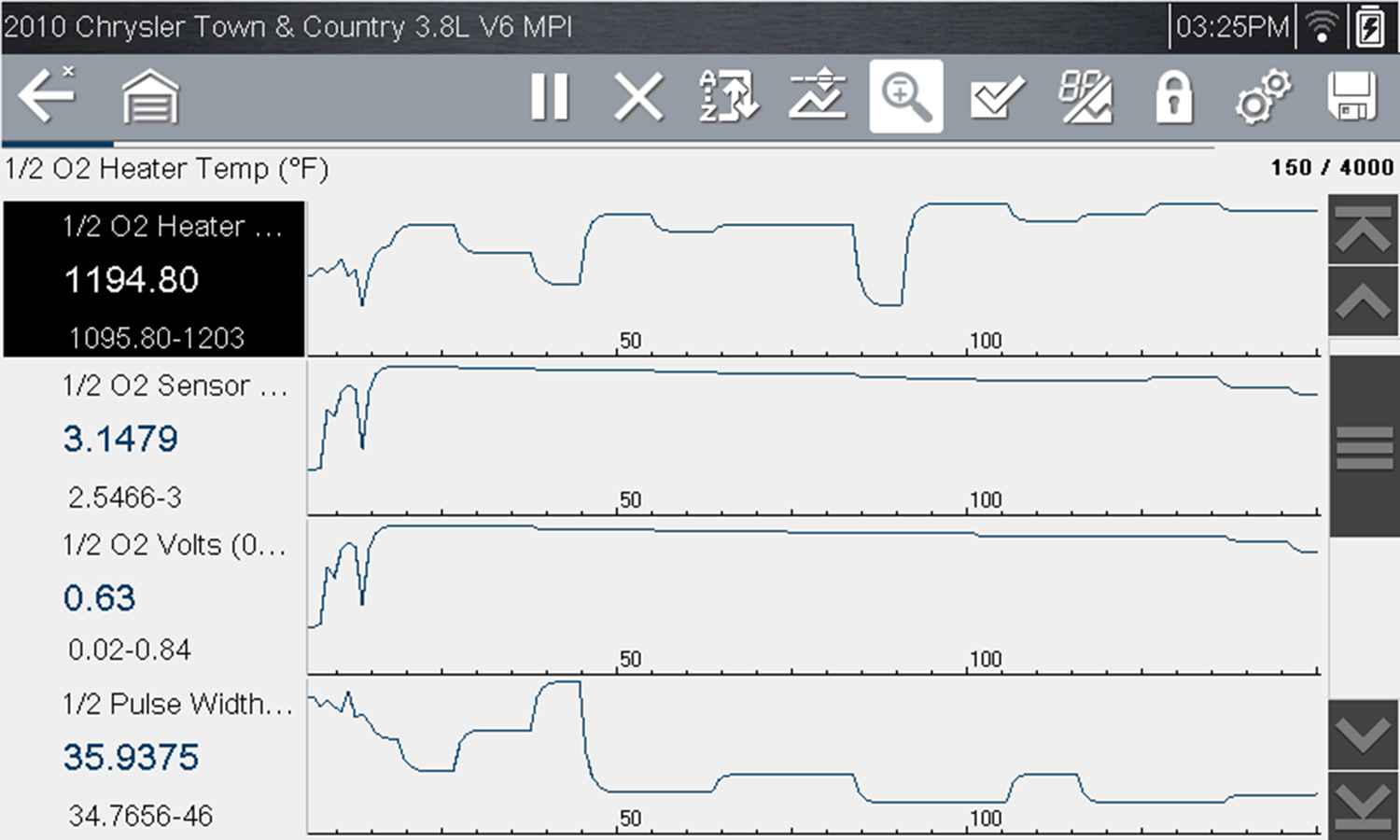
Changing Data Views - PID List / Graphs

Selecting the View icon opens a drop-down menu of viewing options.
| ● | PID List |
| ● | 1 Graph |
| ● | 2 Graphs |
| ● | 4 Graphs |
The PID List view is a 2-column display with the name of the parameters in the left column and their current values in the right column.
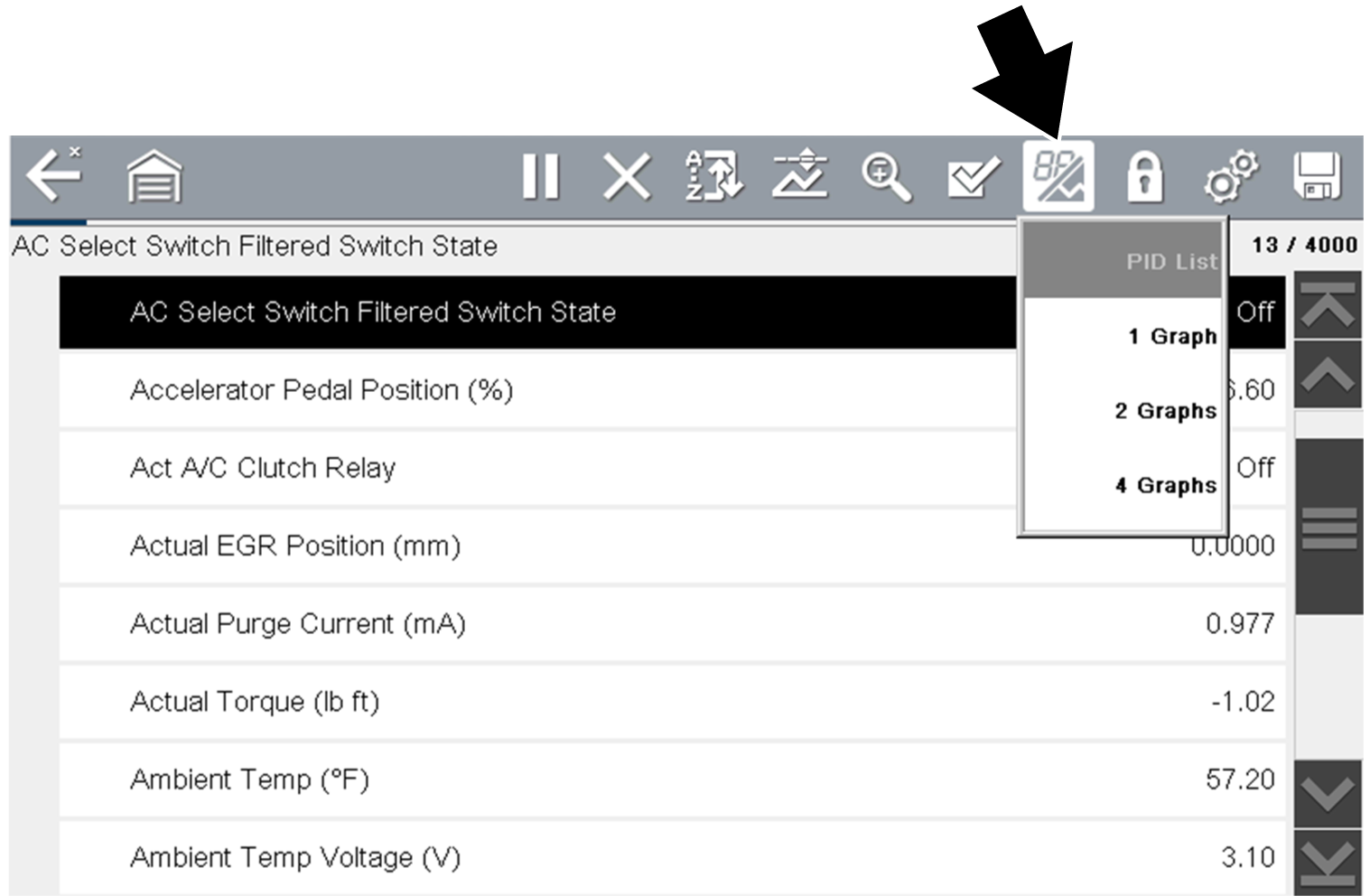
PID List view
The 1, 2, and 4 Graph views divide the screen horizontally to simultaneously display data graphs for the indicated number of parameters .
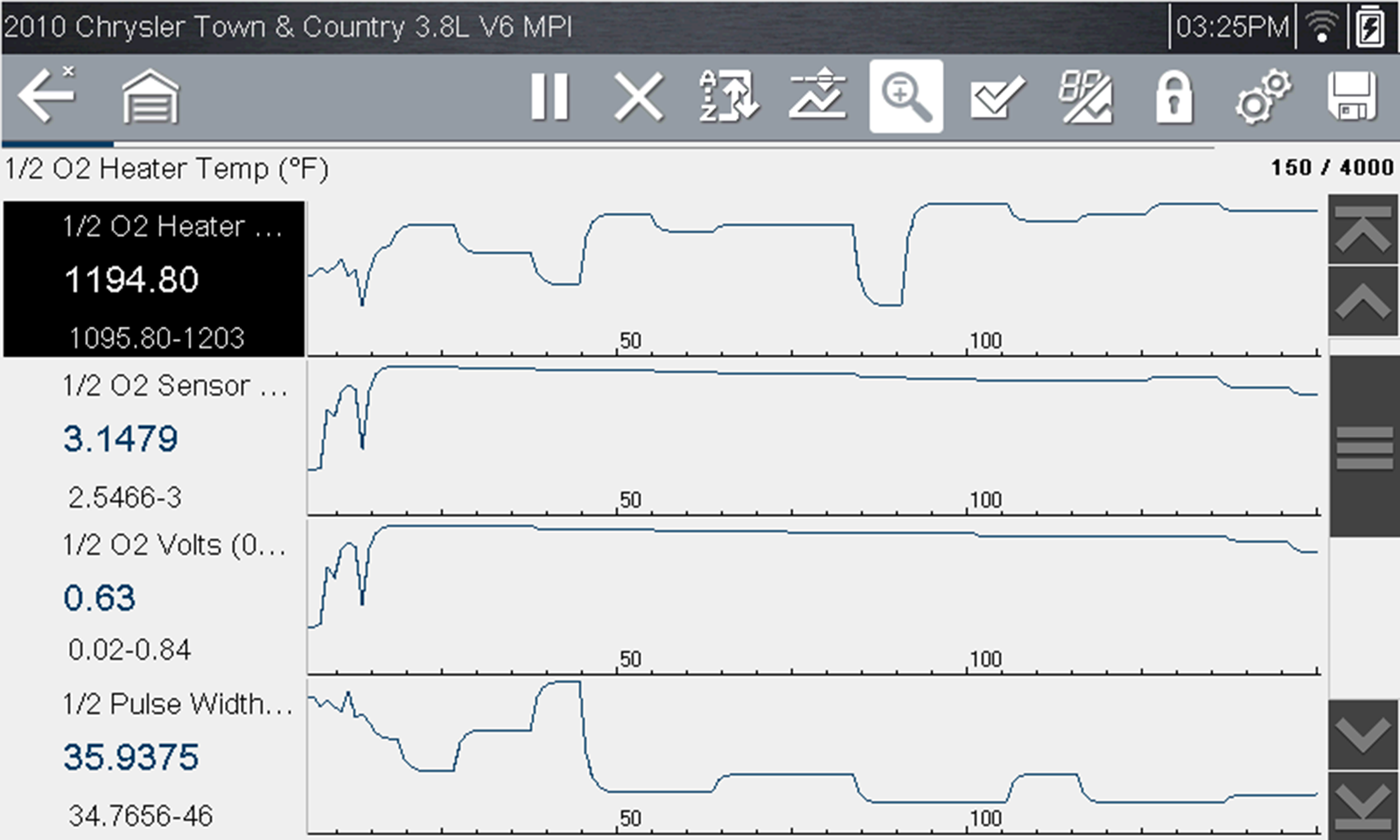
Four graph view
In graph view the text block to the left of the graph displays:
| ● | Top - PID description |
| ● | Middle - Current value or state |
| ● | Bottom - Active minimum and maximum values |