The “Codes Menu” descriptive name may vary (e.g. Codes, Codes Menu, Codes Only, Codes (No Data), or other similar).
Trouble code functionality, availability, navigation and terminology is vehicle manufacturer dependent, and will vary.
Selecting Codes Menu from the Vehicle Systems Test/Function menu opens a submenu of options for viewing and clearing individual system codes (e.g. Engine codes, Transmission codes, ABS codes).
|
Getting Started Video |
Trouble Codes Overview Opens in a new tab. |

The “Codes Menu” descriptive name may vary (e.g. Codes, Codes Menu, Codes Only, Codes (No Data), or other similar). Selecting Codes Menu from the Vehicle Systems Test/Function menu opens a submenu of options for viewing and clearing individual system codes (e.g. Engine codes, Transmission codes, ABS codes).
Typical options may include (descriptive name may vary):
 Display Codes (Code List)
Selecting Display Codes (descriptive name may vary) may directly open a list of the diagnostic trouble codes (DTCs) found, or it may open a submenu of options (see below).
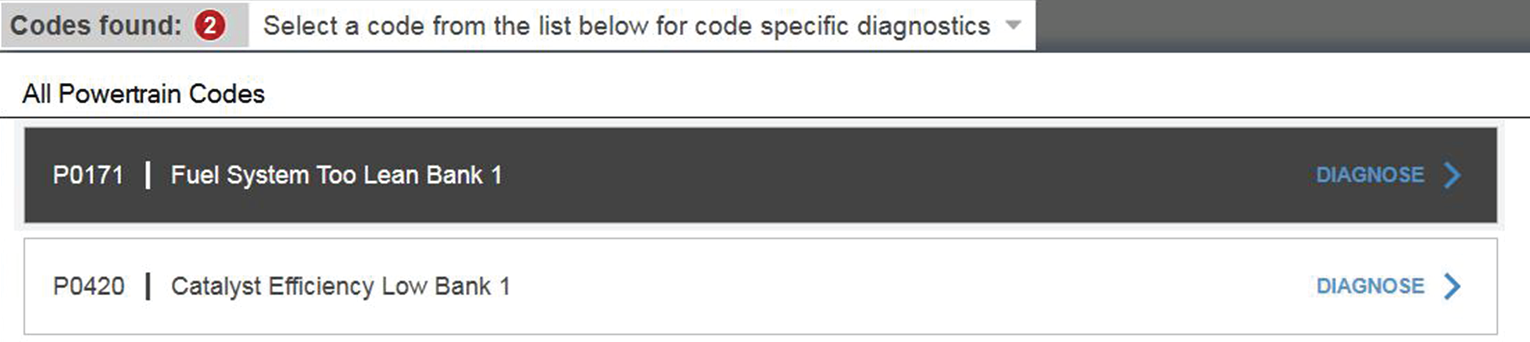
The code listincludes:
| ● | Total codes found indicator (upper left) |
| ● | A list of all codes found. |
Selecting a code from the list See Intelligent Diagnostics for detailed information.
Typical submenu options may include (descriptive name may vary):
| ● | (Variable Name) Codes—opens a list of diagnostic trouble codes in ECM memory. |
Example of variable name - All Powertrain Codes, Current Codes, All Body Codes, etc.
| ● | History Codes—opens a list of codes whose symptoms are not currently present. History codes indicate an intermittently occurring problem. |
| ● | Failed This Ignition—opens a list of codes that set during the current ignition cycle. |
| ● | MIL SVS or Message Requested—displays ECM requests to light the malfunction indicator lamp (MIL) or service vehicle soon (SVS) lamp, or display a driver information alert. |
| ● | Last Test Failed—displays a complete list of failed tests. |
| ● | Test Failed Since Code Cleared—displays a list of tests that failed since the last time codes were cleared from ECM memory. |
Clear Codes
The Clear Codes function is dependent upon the vehicle. Not all vehicles may support this function. See Selecting a Vehicle System.
| 1. | Select Clear Codes from the Codes Menu. |
A confirmation message displays.
| 2. | Make sure any conditions shown on the confirmation message are met, then select Yes. |
A “codes cleared” message will display once the operation is complete.
| 3. | Select Continue to return to the Codes Menu. |
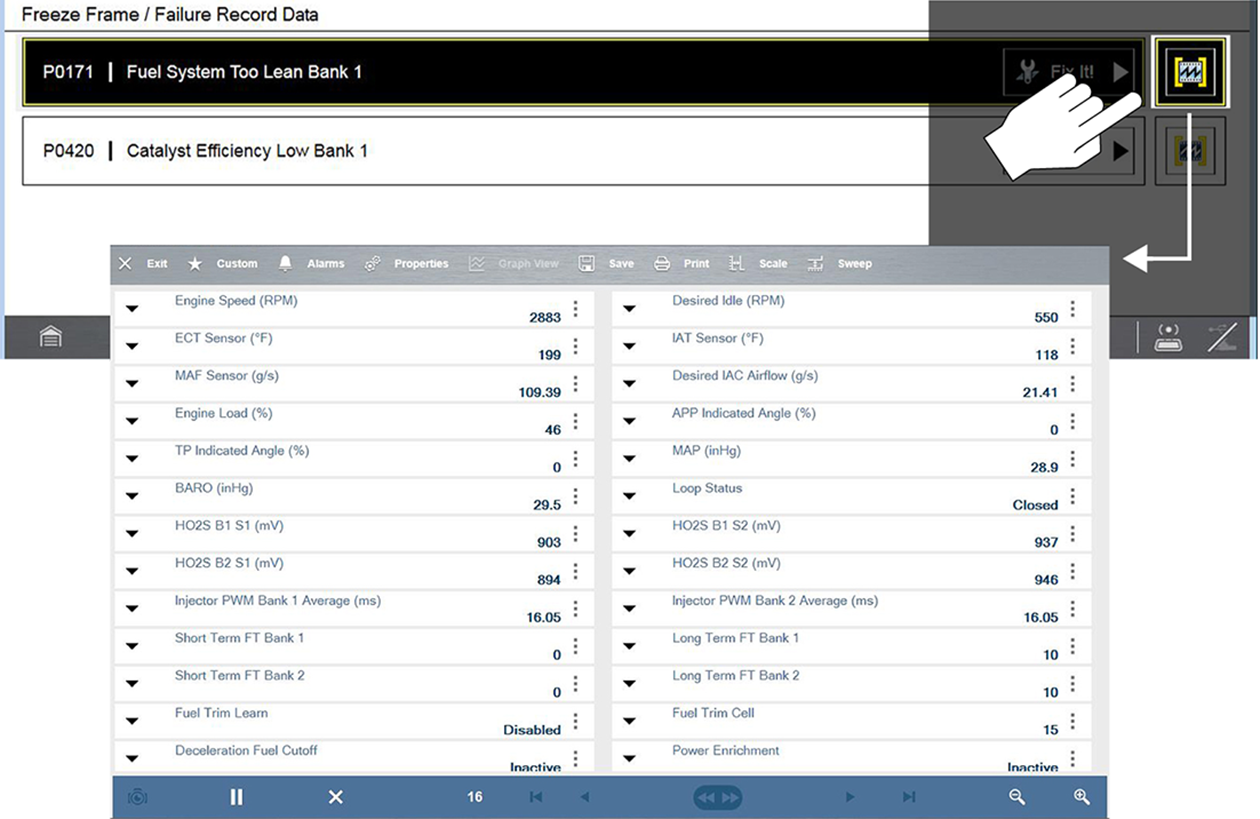
Freeze Frame/Failure Record Data
Selecting the Freeze Frame Data icon, displays a snapshot of the data captured at the time the code was set.