Modern vehicles rely heavily on complex communication networks to ensure all electronic systems work together seamlessly. When these networks experience faults, they often trigger U-codes—diagnostic trouble codes that highlight communication errors between control modules. These issues are notoriously difficult to diagnose without deeper investigations.
This article explores how the latest Snap-on® diagnostic software provides tools and features that help technicians diagnose U-codes faster and more accurately, with real-world repair data, built-in training, and intelligent guidance.
Why U-code diagnostics demand more than just scanner data
U-codes signal communication issues on a vehicle’s CAN bus are problems that some scan tools often struggle to diagnose effectively. This article explores why U-codes are so challenging and how Snap-on® diagnostic tools—equipped with exclusive software like Fast-Track® Intelligent Diagnostics, Troubleshooter Tips and FAST-TRACK® Guided Component Tests—help technicians’ with diagnostic information specifically for the vehicle and code you are working on, enabling you to complete the repair quickly and confidently.
Understanding U-Codes and CAN Bus Issues
Why Most Scan Tools Leave You Guessing
The Snap-on® Advantage: Troubleshooter Tips and Guided Testing
Real-World Example: It's Not Always the Obvious Module
Quick Tips / Summary
Conclusion
Understanding U-Codes and CAN Bus Issues
Since the early 2000s in the UK and Europe, diagnostic trouble codes (DTCs) have been standardised. U-codes are different from P (Powertrain), B (Body), and C (Chassis) codes—they highlight problems within the vehicle’s Controller Area Network (CAN bus).
The CAN bus acts like a digital highway, linking control units to enable communication. A U-code indicates a fault in this network, such as a wiring problem, module failure or signal interference. Snap-on® diagnostic tools connect as a participant on the network, not just a listener—running comprehensive scans and monitoring the quality of communication across modules.
For deeper insight, read the technical focus article on communication issues - U Codes here.
How Snap-on® Diagnostic Tools Assist You
Snap-on® Diagnostic tools make it easier to view live CAN bus data, helping technicians pinpoint wiring faults, failed modules or communication dropouts with greater certainty.
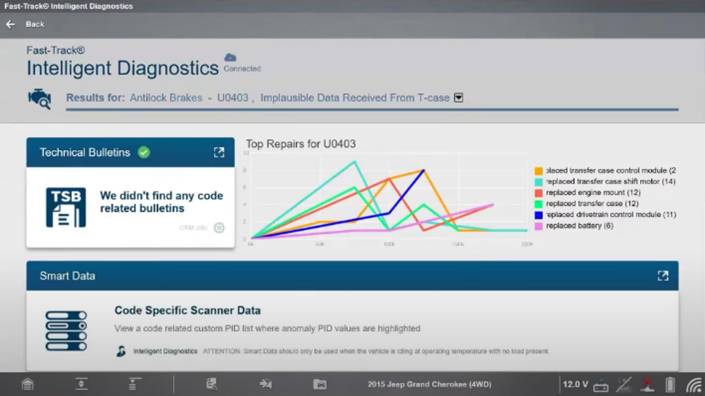
You also benefit from Fast-Track® Intelligent Diagnostics, a technology exclusive to Snap-on® diagnostic tools on current software. It provides repair-specific guidance tailored to the exact vehicle and fault code you’re working on—saving you time and boosting confidence. With ten times more fault codes on vehicles today than just a few years ago, you need smart technology that accelerates the diagnostic process and improves accuracy. With more fault codes than ever appearing in today’s vehicles, this targeted insight improves efficiency and accuracy.
For tools with a scope (e.g. TRITON-D10™, ZEUS®), FAST-TRACK® Guided Component Tests provide step-by-step, vehicle-specific testing instructions. These tests go beyond scanner data, showing you what to test, where to connect, and what results to expect.
Take a deeper dive into FAST-TRACK® Guided Component Tests here.
On-Tool Classes
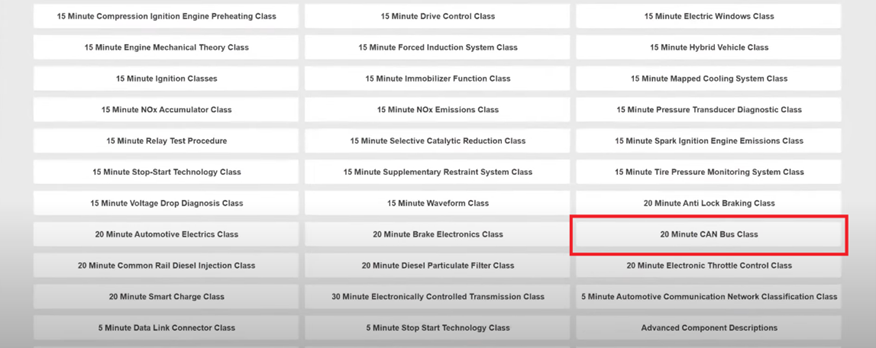
Within Guided Component Tests, the "Classes" section offers built-in training on key topics, such as a 20-minute CAN Bus class covering:
- Basics and fundamentals
- Bus arbitration and communication flow
- CAN voltage levels and behaviour
- Error handling
- Signal quality and waveform interpretation
These classes are designed to build technician confidence and ensure a deeper understanding of the vehicle systems when and where you need it.
Troubleshooter Tips and Real Fixes: The Power of Experience-Based Data
With today’s vehicles, it’s not uncommon to encounter faults or symptoms you’ve never seen before. In these cases, technicians often spend a significant amount of time digging through OEM procedures, searching online forums, or asking colleagues for insights. It all adds up to lost time and reduced workshop efficiency.
To work smarter, you need rapid access to both OEM information and real-world repair knowledge. Snap-on® Troubleshooter Tips bring these sources together:
- OEM data (TSBs, manufacturer procedures)
- Real-world fixes from millions of documented repair orders
Where does that experience-based knowledge come from? It comes from workshops like yours—technicians encountering the same issue repeatedly, identifying shortcuts, or spotting the real cause behind a misleading code.
Even after repairing a fault, unresolved issues often point to missed resets, calibrations or initialisations. Snap-on® Troubleshooter Tips provide:
- Code and symptom guidance
- Time-saving shortcuts
- Step-by-step test procedures
- Real-world insights
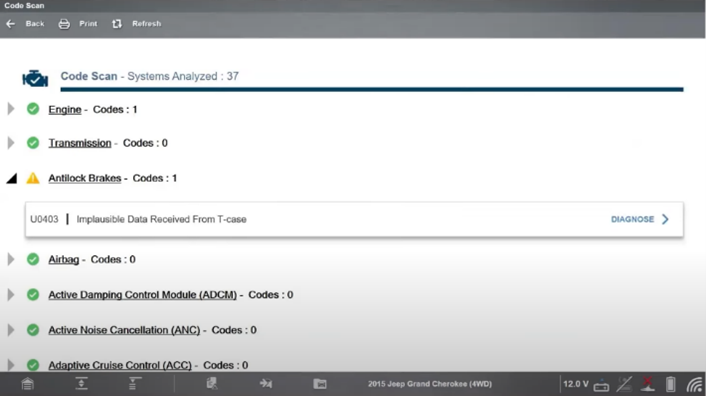
Example: The U0403 code (Invalid Data from Transfer Case Module) may seem to implicate the module, but Snap-on® real-world data identifies a known ABS ground strap issue as the root cause. Without that insight, you risk replacing the wrong part and wasting valuable time. Read more on troubleshooter tips and real fixes here.
Case in point:
A U-code like U0403 – Invalid Data Received from Transfer Case Module may seem to implicate the transfer case. However, Snap-on® Troubleshooter Tips flag a different root cause: an improperly torqued ABS module ground strap—a known issue from certain factory builds. Without this insight, you risk replacing the wrong part and spending valuable time chasing the symptom rather than the cause.
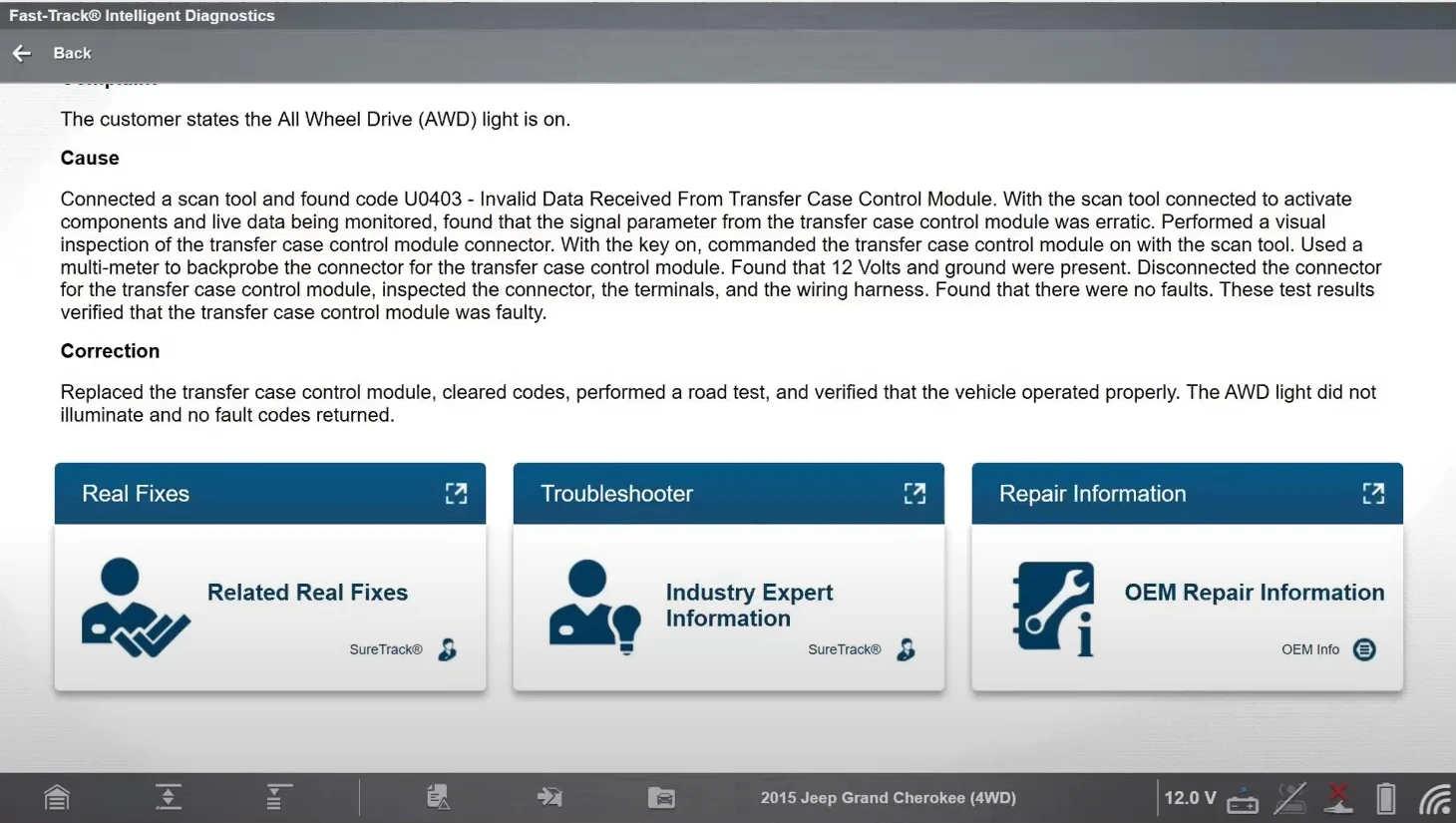
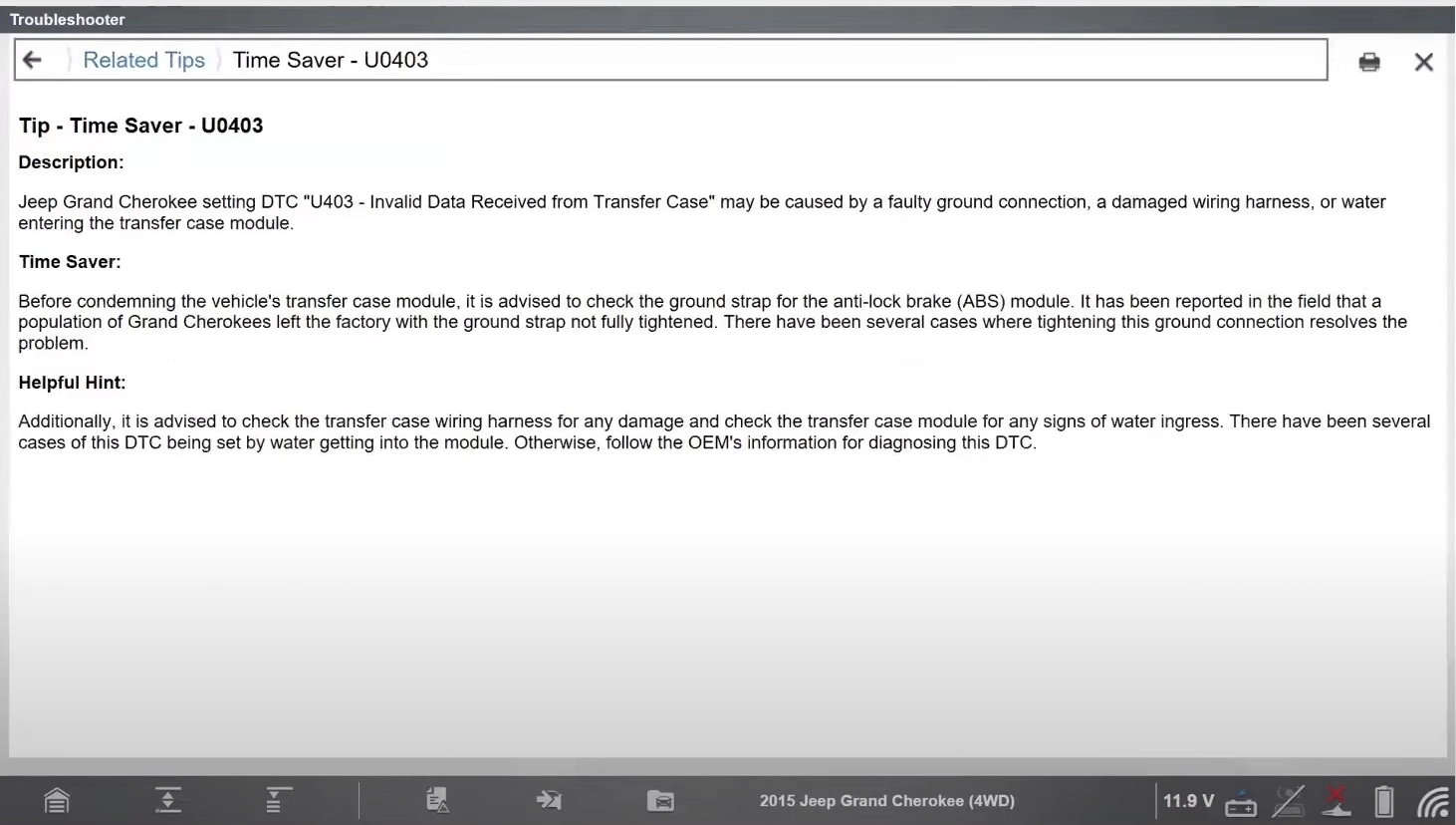
By integrating this kind of experience-based information into your diagnostic process, Snap-on® tools empower technicians to reduce diagnostic time, avoid unnecessary repairs, and significantly increase first-time fix rates.
Exclusive FAST-TRACK® Guided Component Tests: Diagnosing with Confidence
To find the root cause of faults, you must go beyond scanner data. FAST-TRACK® Guided Component Tests provide millions of vehicle-specific procedures to verify component and circuit integrity.
- Tests are supported by:
- Step-by-step instructions
- Connector locations, where to connect, how to connect
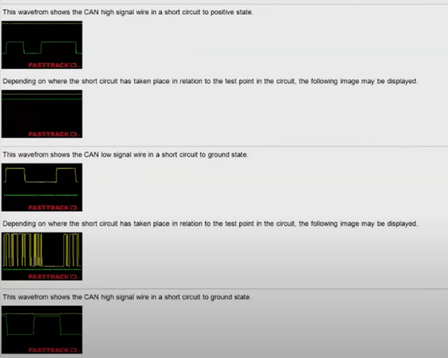
- Waveform comparisons (good vs bad) and what you should look out for
This is especially valuable for complex systems like hybrids and EVs, where accuracy and safety are essential.
U Codes Summary
- U-codes signal CAN bus communication faults.
- Basic scan tools offer limited guidance.
- Snap-on® tools provide live CAN data and full system visibility.
- Troubleshooter Tips reveal real-world solutions often missed in OEM docs.
- FAST-TRACK® Guided Component Tests help confirm faults quickly and confidently.
- Built-in "Classes" offer guided, topic-specific diagnostic training.
- Exclusive software features like Fast-Track® Intelligent Diagnostics save time and increase fix accuracy.
- Keeping your Snap-on® platform updated ensures full vehicle coverage and access to all exclusive features.
Conclusion
U-codes are a common but complex diagnostic challenge. With Snap-on® diagnostic tools, technicians gain access to exclusive software features that combine intelligent workflows, expert guidance and real-world repair data. It’s a complete diagnostic tool that helps you find the true cause of the fault and get the vehicle back on the road—faster and more accurately.
- Vehicle Network Communication Overview and Diagnosis with Jason Gabrenas | Snap-on Diagnostics UK